KW cannibalisation scanner
Pull a full dashboard showing cannibalisation on your site just from your Search Console data (in a few seconds).
The problem
I was working on a site that I knew had a serious cannibalisation problem. Usually I'd go in and fix that kind of thing manually, page by page, but this one had at least 30 overlapping queries spread across more than 60 pages. Doing that manually would have taken weeks.
Google Search Console will let you export per-page reports or per-query reports, but the unified view that shows every keyword every page is ranking for lives behind the API. You can see fragments of the data in the UI, although stitching them together for a whole-site cannibalisation analysis would mean an enormous amount of manual spreadsheet work.
So the tool itself is straightforward. It pulls every keyword that every page on your site ranks for through the GSC API, and then it flags the queries where multiple pages are competing. Once you've signed in and picked a property and date range, the report appears in a few seconds.
What it does
You sign in with your Google account through OAuth, which gives the tool read-only access to your Search Console properties. Every analysis you run is a fresh pull straight from the API, with the data discarded once the report has been generated.
Pick whichever GSC property you want to analyse, then choose how far back the scanner should reach within the 16-month maximum that GSC allows. You can also scope the analysis down to a specific section of the site by adding something like /blog/ to the URL filter.
You get every query where your URLs are stepping on each other, sorted by impact. For each one, you can see the pages involved, how impressions and clicks are being split between them, a wasted-impression count showing how much traffic is going to waste, and a tag for what kind of clash you're looking at. The tool flags the winning URL within each cluster and labels the others accordingly, with redirect recommendations next to each one.
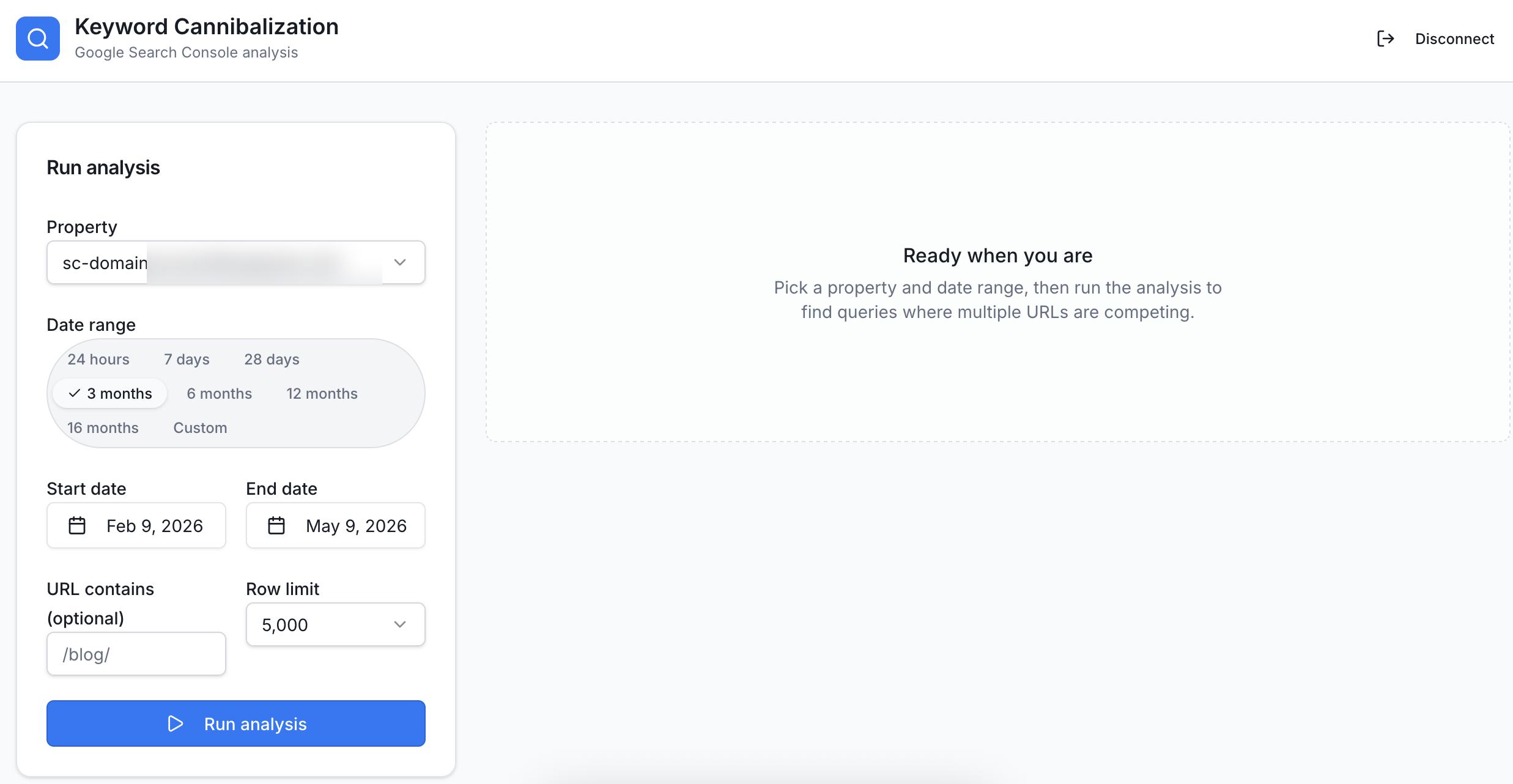
Pick a GSC property, set a date range up to 16 months, and optionally scope by URL path.
Inside the report
Each cluster gets a wasted-impression count alongside a position gap score, so the worst offenders bubble up to the top of the list automatically. The numbers themselves tell you which clusters are doing the most damage to your traffic.
Every cannibalised query is tagged based on the kind of clash it represents. A blog-vs-blog clash usually points to content pruning, whereas a service-vs-service clash tends to mean something deeper in your information architecture needs attention. The tag tells you the kind of fix you're going to be making before you've even opened the cluster.
For each cluster, the tool picks a winning URL based on impressions, position, and click share, and then it tags the rest of them. Some will get a 'redirect' flag, whereas others get a 'keep and differentiate' label if they're serving different search intents. The tool gives a reason for each classification next to the relevant cluster, so you can see why it picked what it picked.
You can export the whole analysis as a markdown file that walks through every cluster in plain English, with recommended actions next to each one. The format makes it easy to share the findings with clients and other team members who need to act on them.
You can use a toggle switch to hide queries where the rankings haven't had impressions recently, which is useful for cutting through GSC's long tail of useless URLs that aren't really relevant.
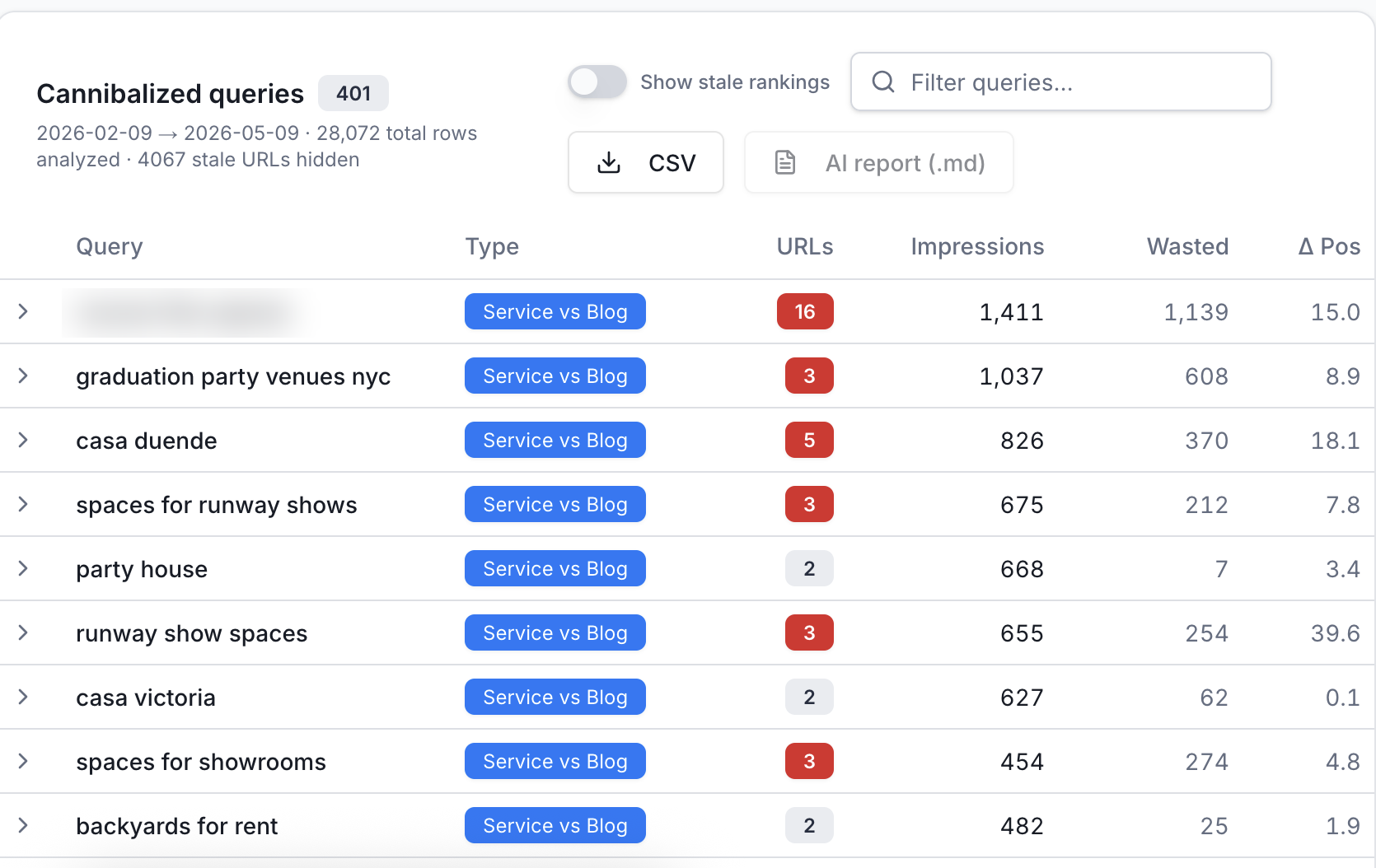
The results table for a real site: 401 cannibalised queries found across 28,072 rows, sorted by wasted impressions.
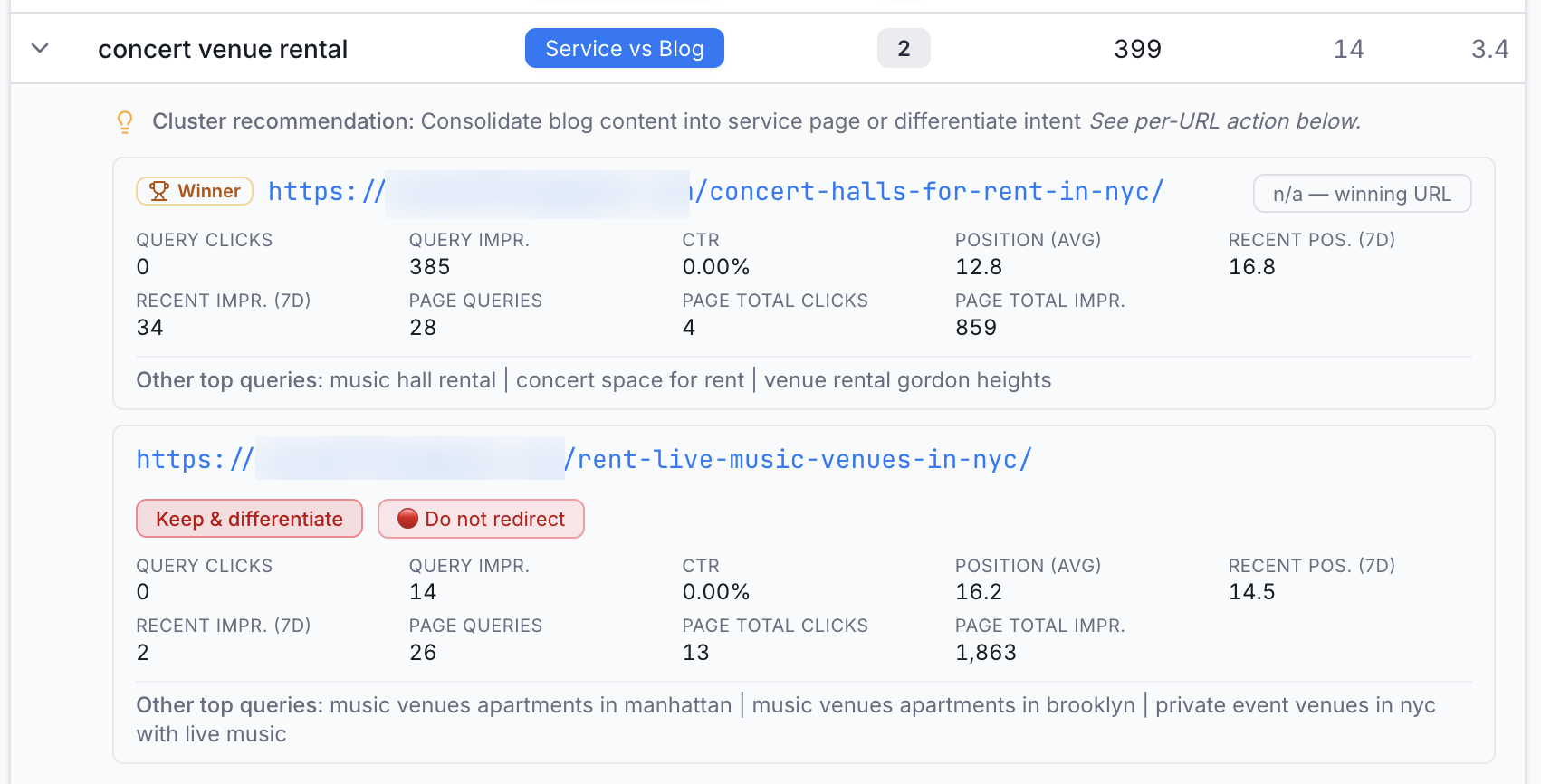
Expanding a cluster shows each URL's metrics, the winning page, and per-URL action labels with reasons.
A few honest caveats
This is a side project I built to solve a problem I ran into on a client site, but by no means is it a fully-polished SaaS. At its heart it's a fairly simple thing: pulling the full keyword-page data through the API and flagging any overlaps. The AI-generated explanations are useful as guidance, although the redirect calls themselves are best made using your own judgement and your knowledge of the site. The tool's job is to surface the patterns, and yours is to decide how to act on them. If you want to demo the tool, just get in touch and I'll give you access.
This started as an internal script for client audits. Cannibalisation is too common and too damaging to sit behind a $139 report.